APKUniversal
Hertix for Android
Android 8+ · arm64-v8a and x86_64
SHA-256 CHECKSUM
f0097f28c6b6bc2750dcef25591ca6a52b8d655f8ae10ba2b4aa752241870345Release Asset Download APK
Your music library, kept close and under your control.
A local-first media library and player spanning a native Android app and a Windows desktop app.
git clone https://github.com/ravindran-dev/Hertix.gitOfficial Packages & File Systems
Android 8+ · arm64-v8a and x86_64
f0097f28c6b6bc2750dcef25591ca6a52b8d655f8ae10ba2b4aa752241870345Interface & Visuals
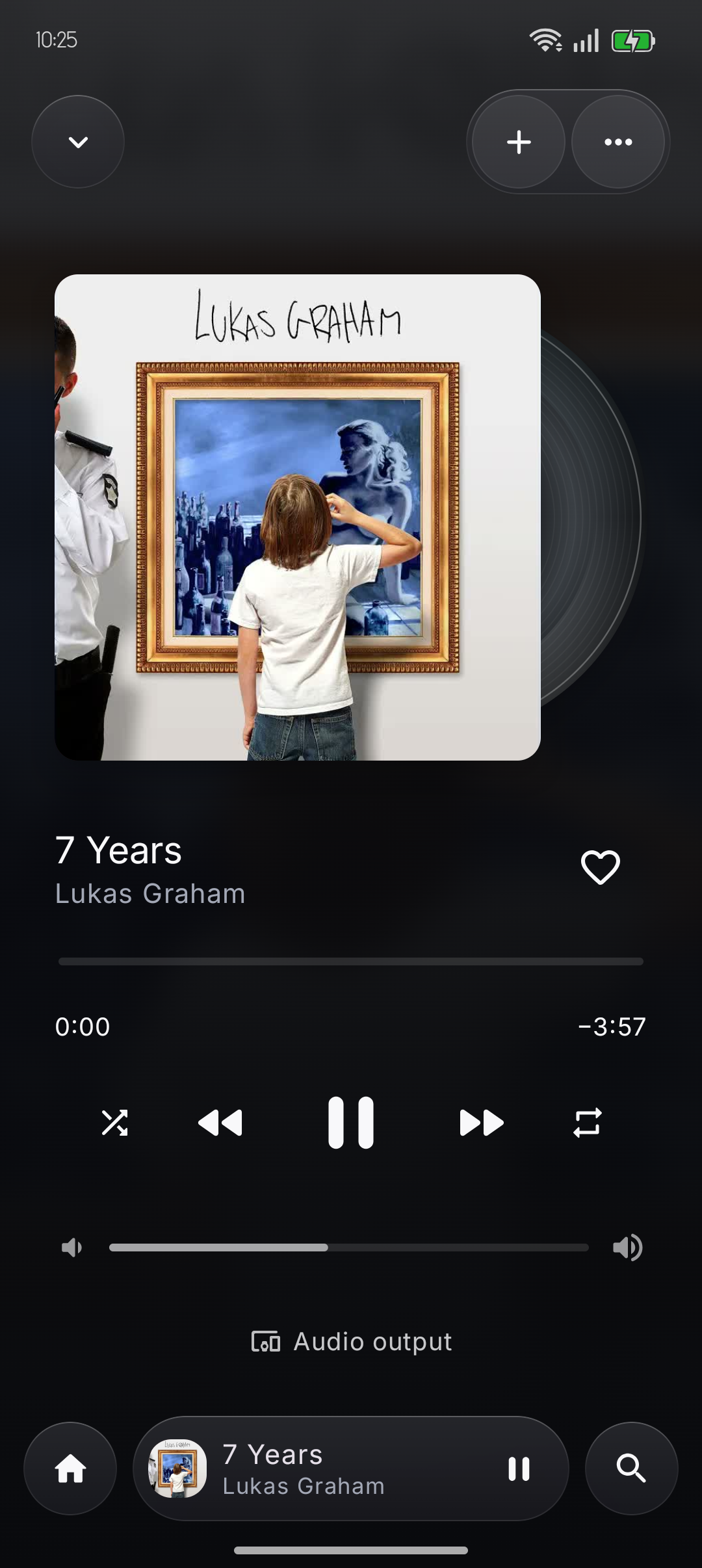
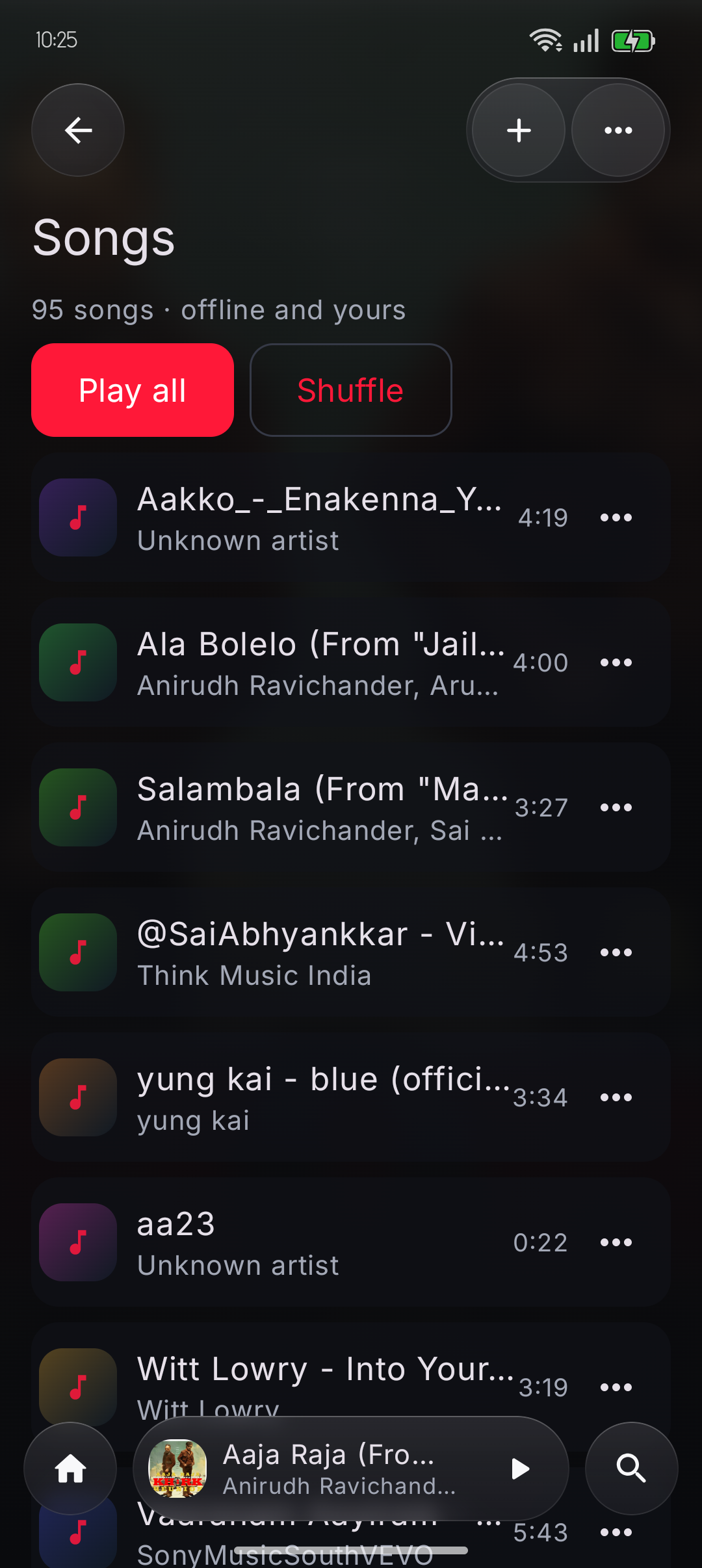
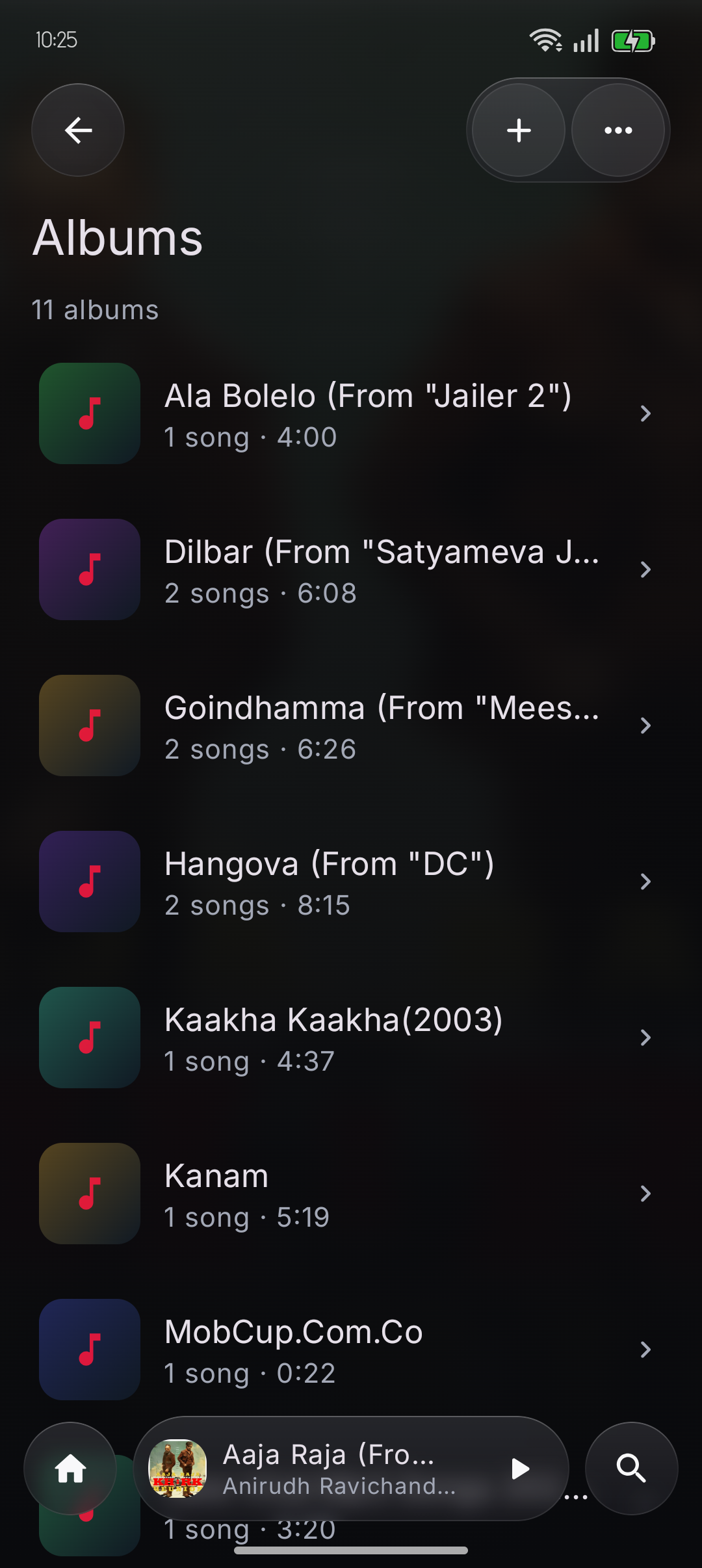
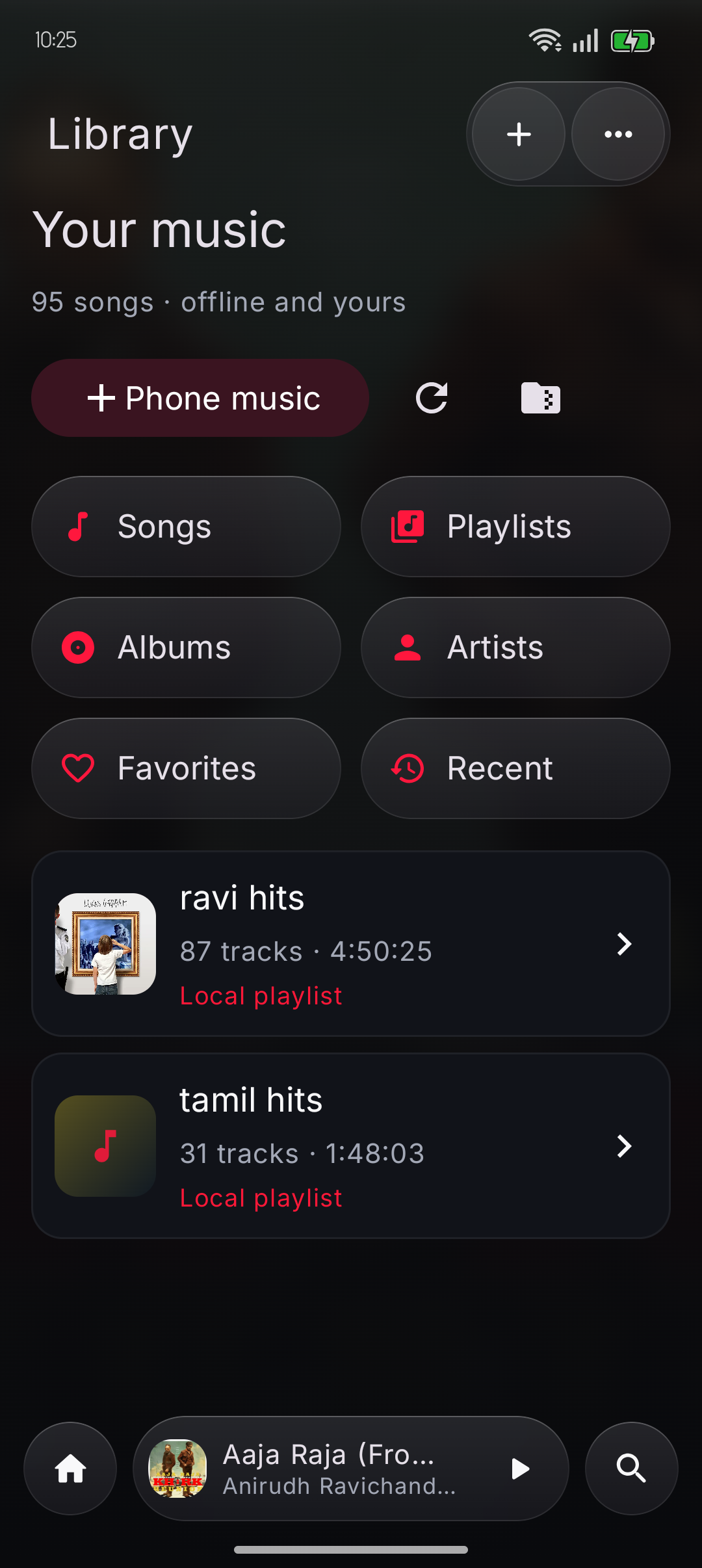
Core Capabilities
Browse phone music and completed downloads, with playlists, favorites and listening history.
Android playback runs through a Media3 service with a persistent player and queue controls.
Analyze media, manage download progress, resume tasks and organize completed files.
Android is native Kotlin; Windows uses a React interface backed by a Rust and Tauri runtime.
Developer Setup
git clone https://github.com/ravindran-dev/Hertix.git
cd Hertix
./android/gradlew -p android :app:assembleDebug
Requirement Note: Requires JDK 17 and Android SDK platform 36. The local debug APK is not an official download.
Android listening
The Android app is the music listening experience. It scans local audio and manages a library alongside completed downloads.
Songs, albums, artists, playlists, favorites and recent listening are implemented in the Android app.
Media3 service playback, a persistent mini player, full player, queue, shuffle, repeat, playback speed, lyrics and sleep timer.
Playback uses Android Media3 and device codecs. Exact supported formats depend on the Android platform and installed codecs; no fixed universal codec list is promised.
Desktop downloads
Windows provides the download and processing workflow. The repository’s packaging notes still call for end-to-end installer and playback validation.
Inspect media, manage download jobs, retry or resume work, and organize completed output.
The documented audio output is MP3; video output is MP4. Playlist ZIP and cover/metadata handling are available in the download workflow.
The public verified release is Android APK. Windows CI artifacts are not published as GitHub Release downloads.
Under the Hood
Android owns playback, media access and durable library state through native services. Windows uses a React and TypeScript interface, a Tauri Rust runtime, and SQLite-backed task history. Optional account sync is separate from local playback.
Developer Documentation
Frequently Asked
Yes. The v1.0.23 GitHub Release includes an Android APK. No Windows installer asset was verified; Windows build instructions are provided below.
The README says local playback and downloads work without an account; cloud library sync is optional.
No iOS target is present in the repository.
Official Software Releases

Loopback-only local AI agent runtime, terminal assistant, and Python streaming SDK.
A private, local-first LLM orchestration system that connects your terminal, local workspace index, and host telemetry through a lightweight Rust launcher and typed Python SDK without sending data to third-party clouds.
System-level evdev remapping, shortcut conflict detection, and typing practice.
Hardware-level Linux input interception using evdev EVIOCGRAB exclusive grabbing and uinput virtual device synthesis, with visual layout editing and shortcut conflict auditing.
A focused, offline-first coding workspace for Windows.
A native desktop IDE built around Monaco, a local Express service and an Electron shell.